I have been searching for a solution and it should not be that hard. This is what I tried:
I created a cube and rotated it along the Z axis in object mode.
In edit mode I switched to the local transform orientation, which looks like this:
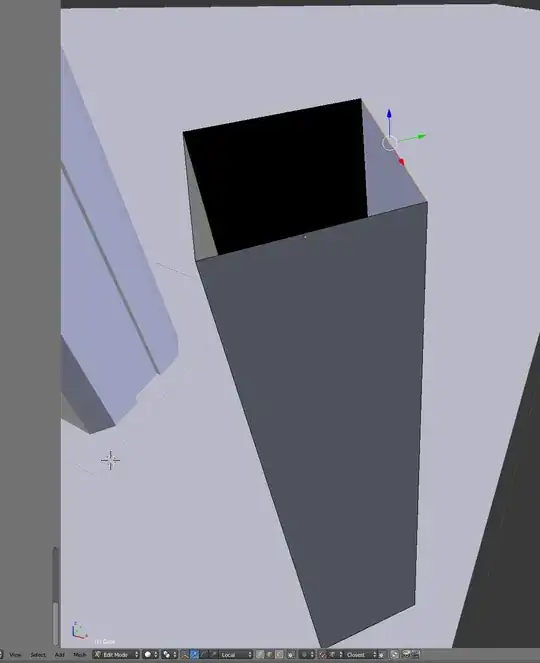 Which is exactly what I wanted.
Next I Extrude, and press X twice to presumably lock to the local X axis. However it ends up pointing in the wrong direction and in the bottom left it says "along normal X" which is not what I want:
Which is exactly what I wanted.
Next I Extrude, and press X twice to presumably lock to the local X axis. However it ends up pointing in the wrong direction and in the bottom left it says "along normal X" which is not what I want:

How can I get blender to extrude along a local axis? Any help is much appreciated!


 RMB), then press GZZ in order to use the normal Move operator:
Transform orientationtoLocal? I do as you describe and it works for me even inGlobal Transformorientation, inLocaltoo. Along normalXafter pressingXtwice I get ifNormal Transform Orientationwas selected. – Mr Zak May 04 '15 at 20:44Alt+Spaceyou change theTransform Orientation. I'll write a more depth answer now. – Mr Zak May 04 '15 at 20:57Transform Orientationby default onGlobal, extrude, pressXtwice and get extrusion by local axis. I didn't think it deserves full answer, I thought the OP simply selectedNormalinstead ofGlobaloption. – Mr Zak May 04 '15 at 22:24Normalorientation I still can use, by switching to it – Mr Zak May 04 '15 at 22:28