1

I am aware of how to get normal vector/color data for a matcap in a material.

Example of matcap normal data:

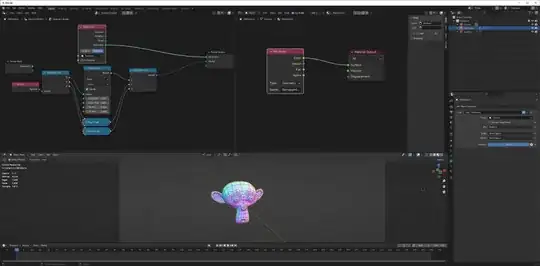
But how can that vector/color data be obtained within Geometry Nodes from the input geometry?

I can see that the Normal node does give some kind of normal data, but it doesn't look the same.

Mentalist
  • 19,092
  • 7
  • 94
  • 166
  • 2
    The matcap appears in camera space.(it changes with the view) Is that what you want? Or do you want the normal in tangent space, fixed to the surface, as it would be when baked into the UV? How do you want to use this data? – Robin Betts Dec 26 '22 at 09:05

1 Answers1

2

If we want to display the normals of an object like they are displayed in Blender-- possibly with a matcap, but possibly with a few other different methods-- the main thing we need to do is map the normals from their existing -1,1 range to the visible 0,1 range:

enter image description here

Here, I'm using geometry nodes to create an attribute representing our remapped, object space normals. We can see on the Suzanne on the left, that isn't what you expect, but on the Suzanne on the right, who has been rotated so that her Z axis points roughly toward our view, that's what you expect.

So with the matcap, what we're actually interested in is our camera space normals. To do that, we need to know what our camera space is. The easiest way to do that (not the only way, but the easiest) is to simply instance our geometry from an object that copies the transform of the camera:
enter image description here

Here, I have a different mesh object, copying transforms from the camera via a constraint, and then instancing a hidden mesh (shown in this image with a wireframe.) We're still displaying our object space normals, but our object space is now the exact same space as our camera space.

What if we don't want to have a camera? Can we use the location of the viewport eye as a space? No. While there are ways to use the location of the eye in shader nodes, there is no way to use it in geometry nodes. When you think about it, this makes sense: we might, after all, have two different viewports open; would Blender keep track of different geometry for each viewport? It works with shader nodes because, yes, each viewport does keep track of different samples, different renders.

Nathan
  • 24,535
  • 1
  • 22
  • 68
  • With you most of the way... (Nice way to Camera Space) I could be wrong, but I thought the Blender matcap used this XYZ->RGB ? BTW, thanks for your edit yesterday. – Robin Betts Dec 26 '22 at 18:48
  • 1
    @RobinBetts It's hard to say exactly how that matcap is built, since that description differs from mine by 0.5/255 in one channel, and we don't have a center texel for the matcap. I suppose it's technically computable from the adjacent texels? Seems like not worth worrying about to me. – Nathan Dec 26 '22 at 19:10
  • Oops, of course. the 128-255 Z makes no difference with no negative Z's. I was wrong :) sorry – Robin Betts Dec 26 '22 at 19:26
  • 1
    You can use Map Range in Vector mode. – Markus von Broady Dec 27 '22 at 10:14
  • Oops, we wouldn't tell at the central texel anyways, we'd tell at the silhouette texels. (Which makes me wonder even more why anyone would bother; they'd be better off caring about their 0.5 RG values than B, 001 is the most important vector.) – Nathan Dec 27 '22 at 16:14
  • 1
    @MarkusvonBroady Thanks, I didn't realize that! Wish I could do the same in shader nodes. – Nathan Dec 27 '22 at 16:14
  • Thank you :-) Your explanation about remapping the normals helped me understand this better. I admit though, that I don't completely understand why it is necessary to use a constraint and instancing of a "hidden mesh". Is it perhaps possible that the same result can be achieved using the camera's coordinates? Something similar to the method used in this answer? – Mentalist Dec 28 '22 at 06:43
  • @Mentalist We have object space normals, but if you want camera space normals, the easiest thing to do is to make your object's space the same as the camera's space. If you don't-- then don't worry about it. That answer is maybe halfway there, because it gets one vector from your camera, but you need two vectors to figure out your camera's space (can't determine rotation from only Z, you need X or Y, otherwise those vectors could point anywhere in the Z plane.) Like I said, I think it's easiest to do it just by instancing onto something with the same transform. – Nathan Dec 28 '22 at 07:09
  • I was thinking about how this method will scale if there are multiple objects using it. Will hidden duplicates need to be created for each? ...and so on. So if there is a way to get the camera space into the GN setup and rely on that vector data (instead of using the constraint method) I'd be curious to know more about that. However, if the existing solution relies on the camera's data in some way that causes the constraint + hidden duplicate to be necessary, then maybe this is the best solution. (I want to experiment with this more, but unfortunately I can't right at the moment.) – Mentalist Dec 28 '22 at 07:44
  • @Mentalist Instance a collection onto a single object. But really, it's hard to imagine why you actually want to do this, when you could just do a matcap render anyways; I only answered the question you asked. I would recommend you ask about your actual problem, at a "how to achieve this render" level rather than a "how to make GN do what I want" level, because the odds are good that there is something easier than you're contemplating. – Nathan Dec 28 '22 at 07:53