0

My apologies, my question may be a duplicate but I can't seem to find the correct terminology to phrase my question correctly.

During editing, is it possible to select a group of vertices and cause them to become 'solid'? As in, make it so that if I translate 1 vertex from the group, the entire group translates together, or if 1 vertex is rotated, the whole group rotates with it as a solid object.

Specifics: I have a model (model and example of what I'm aiming for included below) that I've been making and essentially I want to bend most of it into an arc shape, but I want a section of it to remain rigid so that it doesn't warp while I rotate the rest of it.
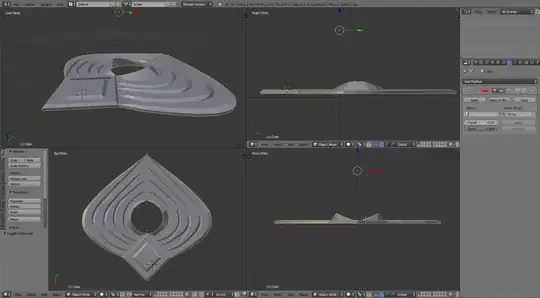
Model

Target

TheBroodian
  • 103
  • 3

1 Answers1

1

Option 1:

Separate the objects. In "object mode" hit "shift+d" to duplicate the object. Delete the vertices in one object, and the inverse vertices in the other. Then, while editing one, you do not affect another.

Option 2:

Deform your mesh with an Armature. Use 2 bones. One bone affects the rigid piece, the other bone affects the other parts. Pose the bones into the shape you want, and apply the armature. Use "vertex groups" to influence the deforms. A bone will affect vertices in a vertex group that has the same name as it.

Hopefully this can help you learn some terminology and put you on the right track.

beiller
  • 2,170
  • 12
  • 11
  • Thank you for taking the time to write this up, sounds like the way I was imagining the scenario to work was not how I would actually accomplish it. – TheBroodian Mar 16 '15 at 20:29