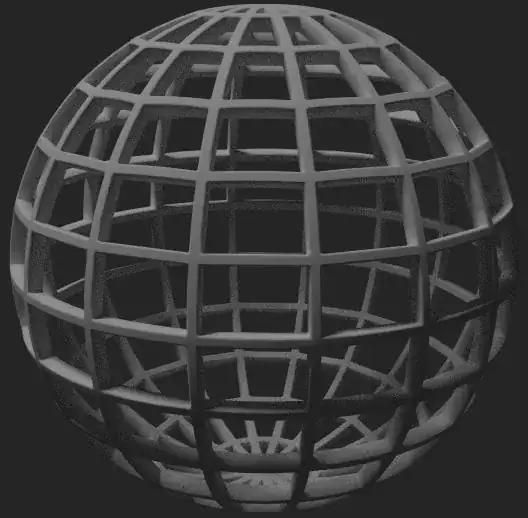
I'm pretty new to Blender and I'm trying to create a perfectly round NURBS sphere. I need a wireframe of this sphere with big cells (like on the image below) but I also need curved (sic!) not straight edges of cells. Is there a way to do so?

I'm pretty new to Blender and I'm trying to create a perfectly round NURBS sphere. I need a wireframe of this sphere with big cells (like on the image below) but I also need curved (sic!) not straight edges of cells. Is there a way to do so?

First, add a UV Sphere to your scene. Now go into edit mode, make sure you are in Face select mode (press Ctrl + Tab and select Face) and press Ctrl+B. Make the resulting edges as large as desired. Now press Ctrl+I to invert the selection and then press Delete > Faces.

Now go into edit mode and select all by pressing A, and then W > Subdivide Smooth and change the subdivisions up or down as desired.

Now add a Solidify Modifier to your object to add some depth. You may also want to add a Bevel modifier while you are at it.

You should now have a nice smooth wireframe:


Tmenu to 1, or use Subdivide Smooth as I explained. – J Sargent Mar 05 '15 at 21:17W> Subdivide Smooth? It has to be a bug. Did you add an entirely new mesh? – J Sargent Mar 05 '15 at 21:28