I believe your simulation was made with "Adaptive Domain", so the boundaries of your smoke object change with time, therefore the texture space used by the Noise texture (which is implicitly the Generated one) changes with it, at discrete steps.
To solve the problem, you must not rely on the shape of your domain for your Texture generation, but rather rely on something you control directly and you can make as smooth as needed.
To do so, you have to override the implicit Texture Coordinate assignment by using one of the options from a "Texture Coordinate" input node.
In your case, I believe that the "Object" socket is the most useful, using an Empty as your "Object" (linked in the Texture Coordinate node).

You can scale/move/rotate the Empty to set the spatial resolution of the noise, and if you want you can animate these variables to make the colors move, as smooth as you like.
One possible "animation" for the Empty (easier if of the "Arrow" type) is to make it roughly follow two points in your smoke cloud (like, the advancing front and the back), with the head and the tail of the arrow.
Original setup (no Texture Coordinate node)
It jitters a bit at the beginning, while the Adaptive Domain size is adjusting
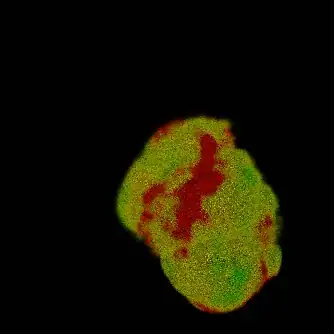
Result (with Texture Coordinate node)
Here, the mesh arrow displays the size/orientation of my Empty (I was lazy and I didn't move the tail).
No jittering because the color animation follows the Empty, which is smooth because I designed it to be smooth!


