1

Ubuntu 11.10 just installed from scratch + few applications from Ubuntu Software center installed, log of installations.

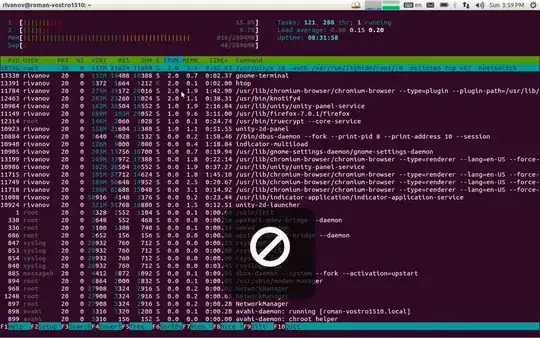
Black area with stroked circle is appear and block UI. Please look at pictures. image 1
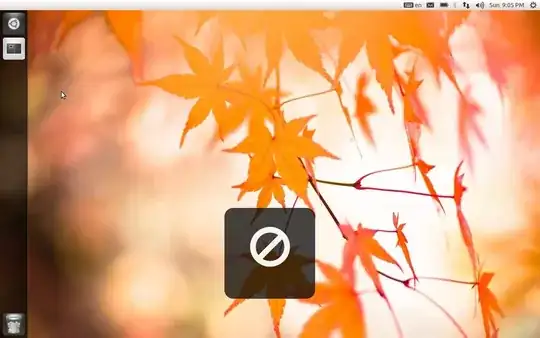
image 2

Additionally I have a problem with focus during this area are about to appear or in the middle, selected text is blinking and some keys are ignore to type.

I had such problem on Ubuntu 10.04 + all updates(but without this area), that forced me to install new Ubuntu. The same effect I see under Unity2D, and Gnome shell. Windows Vista in dual boot works fine.

I just want to open issue against Ubuntu, but do not understand what component is it, Is there workaround? Any advice is appreciated.

Sergey
  • 43,665
Roman Ivanov
  • 509
  • 5
  • 13
  • Possible duplicate of http://askubuntu.com/questions/70727/no-parking-sign-in-the-middle-of-the-screen It is likely a keyboard hardware incompatibility issue. – Mark Rooney Nov 07 '11 at 07:00
  • This is a problem of keyboard and media keys - this sign means pressing - XF86AudioStop. This button is constantly blinking on my Dell Vostro 1510.

    Workaround is using Xubuntu desktop, button is blinking but now focus lost event and not sign.

    – Roman Ivanov Nov 13 '11 at 23:16
  • I tried to disable this button by 'keycode 164 = NoSymbol" at ~/.Xmodmap file - does not help, button is disabled for me to press, but still blinking. – Roman Ivanov Nov 13 '11 at 23:23

1 Answers1

1

I have read reports of the media keys not functioning correctly on the Dell Vostro 1510 under both Ubuntu and Windows causing the keys to blink and cause media playback issues etc.

You could try using xbindkeys to remap the keyboard to fix the problem - it is available in the software centre to download - just do a search for it.

Alternatively here is a link to the developers website.

Mark Rooney
  • 6,289
  • thanks for answer, I already gave up, and switched to Fedora unfortunately, I need to continue my work. I will try on next attempt to use Ubuntu - my favorite linux. – Roman Ivanov Nov 16 '11 at 03:43
  • I got the same problem on Fedora too, so looks like hardware problem, but with you answer I resolved it, Thanks a lot. Here is my changes to system. Sorry I can not make your answer as "right" not enough reputation. – Roman Ivanov Nov 21 '11 at 00:48
  • Glad you were able to solve the issue and get your system working, now you just need to switch back to Ubuntu!! - by the way you don't need reputation to accept an answer, see the FAQ here. I also recommend you have a good read through the whole section as it is really useful in understanding the site and how it works. – Mark Rooney Nov 21 '11 at 11:23
  • Problem appear again, not that severe like without this fix, problem reproduced on widows vista too, here is discussion that propose workaround - unplug charge cable and work on battery only - works like a magic. Update for bios does not help. – Roman Ivanov Nov 24 '11 at 20:26
  • Problem was reproduced in Windows and Ubuntu and Fedora ... problem completely in hardware. Solution: new laptop :) – Roman Ivanov Jan 12 '12 at 03:23