Welcome to Ask Ubuntu! Typically, we ask that you refrain from asking multiple questions within one. I would suggest that in the future you keep your questions to a single question per post. Thanks!
As for adding other user accounts, it's fairly simple. Go up to the Unity Dash and search for User Accounts:

then click the Unlock button (with the little padlock in the upper-right-hand-corner) and then the + button:
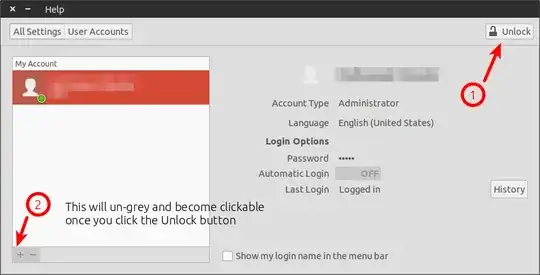
and fill in the details:
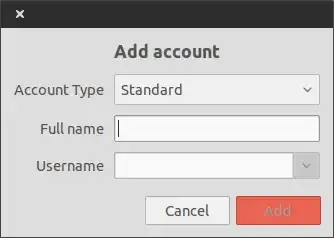
You've just created a new user! You can repeat this as many times as you want, just so long as the usernames are different.
As for creating the folder, you can do this two ways.
First Method - GUI Method:
Open up Nautilus (the file manager, first icon underneath the main Unity button)
Navigate to the folder you want, then right click and select the first option New Folder:
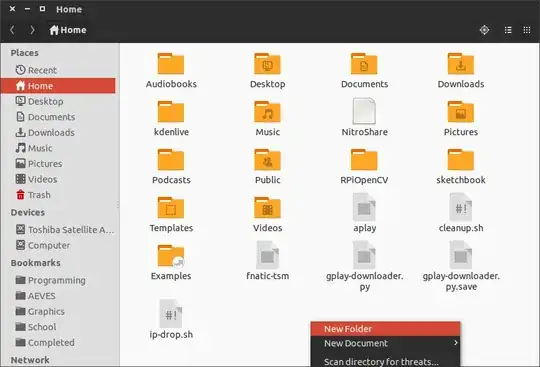
Second Method: Terminal:
Open a Terminal (Press Ctrl+Alt+T)
Navigate to the directory (folder) where you want to create the new directory. You can do this cd.
Type in mkdir NEWFOLDERNAMEHERE, obviously switching out the NEWFOLDERNAMEHERE with the folder name you want.


