@Terrance Ubuntu used LightDM now, so I don't think that answer would work, as it applies to GDM.
– May 21 '15 at 20:05
@Terrance Even if you are using Gnome Desktop, the display manager is still LightDM on Ubuntu. See: https://wiki.ubuntu.com/LightDM for confirmation. The display manager is separate from the desktop environment. GDM looks very different indeed.
– May 21 '15 at 20:18
@jdp407 Nope. My system has both GDM and LightDM installed. I switched to GDM and it looks exactly the same.
– TerranceMay 21 '15 at 20:27
@Terrance Ok, I must be mistaken - I was under the impression that the Unity greeter was purely a LightDM theme - can you send me a link to where you can get a copy of the unity greeter for GDM? I prefer it to the stock GDM theme (which I'm using at the moment). Also, if you run sudo dpkg-reconfigure gdm it will tell you which display manager you are currently running.
– May 21 '15 at 20:30
@jdp407 You are correct. For some reason it didn't take. It is now GDM fine, but the greeter is different. Please forgive me.
– TerranceMay 21 '15 at 20:33
@Terrance Don't worry about it - sorry if I came across as rude.
– May 21 '15 at 20:44
@jdp407 No problem! Everything is good. Somewhere somehow I also got confused between my work system and my home system. My work system has GDM, but is running LightDM, and my home system only has GDM on it.
– TerranceMay 23 '15 at 04:53
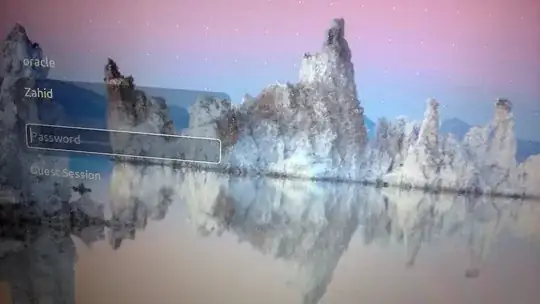
You all are firing in dark, no one is able to answer in a simple way, I have find an easy way to remove a user from login screen, just go to system setting then go to user accounts and click on the user name which you want to remove, so simple and easy.
– Zahid HameedJun 07 '15 at 15:00

sudo dpkg-reconfigure gdmit will tell you which display manager you are currently running. – May 21 '15 at 20:30