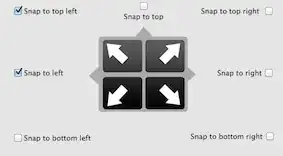
All window tiling apps I've seen are designed to make windows snap to preset screen areas, such as "the left half of the screen" or even "this size of rectangle specified with a grid." Is there one that would let me do, say, this:

All window tiling apps I've seen are designed to make windows snap to preset screen areas, such as "the left half of the screen" or even "this size of rectangle specified with a grid." Is there one that would let me do, say, this:

Take a look at this Wiki question, and see if any of the answers meet your needs.
In particular, this one looks interesting:
Zooom/2 - "Magnetism. If you like snapping windows the the edges of the screen or other windows (as in many X window managers), you will love this."

Update in 2018:
Try dragging your window slowly against another one, you'll encounter some resistance. You can use this to line them up quite easily.
I can't remember for sure when they added this, but I believe it was in OS X v10.12 Sierra.

Cinch provides the snap to edges you are looking for, but I don't think it's good enough to do the total window arrangement you are looking for.
SizeUp by the same provider as Cinch provides the ability to quadrant your screen, but these are more precise full quarter, rather than the different sized windows you have.

Just like BetterTouchTool this app by Andreas Hegenberg is a very feature rich and highly customizable windows management tool.
You can either snap or use shortcuts for predefined areas.
Window snapping can be customized for each corner and and side (except bottom).