I have just installed VLC for Mac, after I added a video file to my play list all I can see is this window + the audio played.
Please let me know how can I show the video playback?
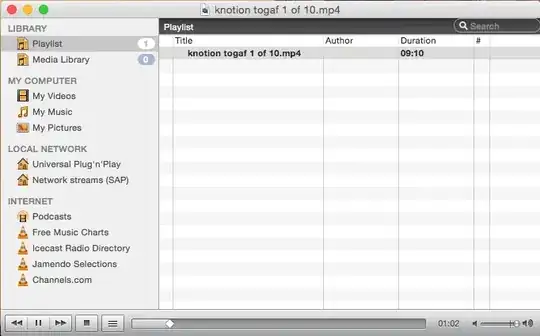
I have just installed VLC for Mac, after I added a video file to my play list all I can see is this window + the audio played.
Please let me know how can I show the video playback?

That's the playlist window.
On Mac OS X:
Press CMD + OPTION + P to switch modes, or click on Window > Playlist.
On Windows:
Press CTRL + L to switch modes, or click on View > Playlist.

Here's another thing to check: I found that when I doubt-clicked a video to play it, VLC opened, which I could tell from the dock, but I didn't see a window with the video playing in it. I finally figured out that VLC was opening the video window in a new "Space", so after it started I would have to slide over to the next Space. Try that.

I've experienced something similar with VLC. Typically, I play vids in full screen on my second display connected to my MacBook. When I am not connected to the external display and I play a vid, VLC seems to want to still play in this dual display mode. So it's like it's playing on a ghost second display.
If this is your situation, the easiest solution is to simply press 'Escape'. That pulls the vid out of full screen mode (on the ghost second monitor) and displays it in windowed mode.
From there you should be good.
(P.S. I just wrote this same thing in another similar VLC post today... Must be something in the air.)

