The native OSX dictionary (hover + 3-finger-tap) does not work for the Hebrew language.
The example below shows its reluctance to interpret the word פרסומת, a valid Hebrew word.
Any ideas how to add extra languages to the dictionary?
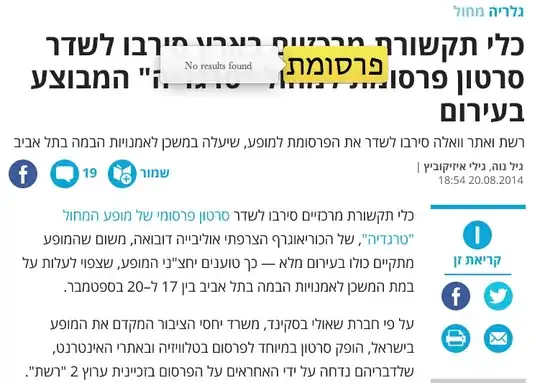
The native OSX dictionary (hover + 3-finger-tap) does not work for the Hebrew language.
The example below shows its reluctance to interpret the word פרסומת, a valid Hebrew word.
Any ideas how to add extra languages to the dictionary?

This site has a number of extra dictionaries:
http://clasquin-johnson.co.za/michel/mac-os-x-dictionaries/index.html
and this article provides links for Hebrew/English and English/Hebrew
http://blog.jle.vi/post/72464439746/get-the-look-up-dictionary-feature-in-os-x-to-work

Three-finger tap lookup is enabled by Dictionary.app.
Dictionary -> Preferences will enable you to activate more built-in dictionaries.
For more on adding dictionaries to Dictionary.app, check out this article which also points out how to download and install third-party dictionaries.

I was fed up with how hard it is to find good dictionaries if you don't speak one of the "big" languages that Apple supports (El Capitan adds a few very good dictionaries for German etc., but that's not very helpful for users in small(er) countries) and so I decided to do something about it and made an app for installing translation dictionaries: Dictionaries.
Right now it has 44 languages (including Hebrew) and dictionaries are based on a good source (Wiktionary, periodically updated and growing steadily) and have stylesheets to look good in Yosemite and El Capitan. That's my two gripes with clasqm's huge collection that Tom mentions: those are mostly old dictionaries, not updated for 10.10+'s more modern look and they are one-off conversions.

