iMac 2 GHz 1600 Radeon card, Snow Leopard


Focusing on one area of the graphics corruption, you can see that the layering effects are being calculated improperly.
While that could be a software glitch or a failure of the GPU, my first check would be to replace the RAM.
That era of hardware started using system RAM to back the GPU and calculate the visible pixels between all the layers (each app draws as if it's the only user of the screen and then the OS composts, animates and renders all visible layers). Normally, when things work, you wouldn't know how the screen gets drawn, but here you can see a problem in one of the steps.
If you are comfortable swapping RAM - you might try removing half the ram and test, then swap the second half, but this is likely something you'll take in for a technician to look at once you have a good backup.
You could also try reinstalling the OS, but my guess is you would see graphics errors when booted to install DVD or even the built in tests which would confirm it's hardware.

From your screenshots this seems like a hardware issue, likely with either the video card or RAM. Since the issue shows up in screenshots you can at least rule out the LCD panel and the associated video cables. If it's available you might try booting to another operating system to see if the video abnormalities persist as this could possibly be software related as well.
I would start by running AHT (Apple Hardware Test), the diagnostic tool that shipped with all Macs. Depending on the history of your Mac it could be built in or would be found on the gray restore DVDs that shipped with your Mac. To run AHT:
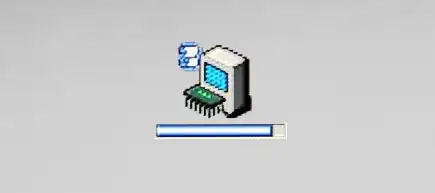
If AHT returns no trouble found after a couple extended testing passes then I would encourage you to try booting to another operating system (Snow Leopard / Lion on another Mac via target disk mode for example) to see if the issue persists. If the iMac works with no issues while using a different OS then I'd say the next step is to perform a reinstallation of Snow Leopard.
Hopefully that gets you started! Worst case you can make an appointment to take it into an Apple store, if convenient, and have them diagnose it for free at the Genius Bar.


