On my Android phone, how can a user add a bookmarklet to my Chrome bookmarks, without needing to use another device, and without copying and pasting?
I have a bookmarklet on my website that I want other people to add to their bookmarks, so I'm looking for a straightforward method.
Bookmarklets are bookmarks, but of which contain Javascript code instead of a regular web link.
Bookmarklets can be added to Chrome on the PC very easily in many ways.
- However, on Android, if the bookmarklet is displayed as a link on a page, it cannot be "dragged to the bookmark bar" as with a PC.
- If I try to open it in a new tab, the address bar will not contain the Javascript, so the user can't use the bookmark button.
- Tapping the link to the bookmarklet will not put the code in the address bar either.
- The only way I've been able to add a bookmarklet on my phone has been to tap and hold on the link, then tap "Copy link address", then edit a pre-existing bookmark's link and pasting in the bookmarklet code, then renaming said bookmark. But that's a pain, and trying to explain it to non tech savy folks isn't happening.
Is there a more simple method?
Note that I have a particular bookmarklet that even when added on my PC, does NOT sync to my Phone's bookmarks. I believe it may be due to the length (It's over 9000 characters!). This is why I need an easy method for users to save this bookmarklet.


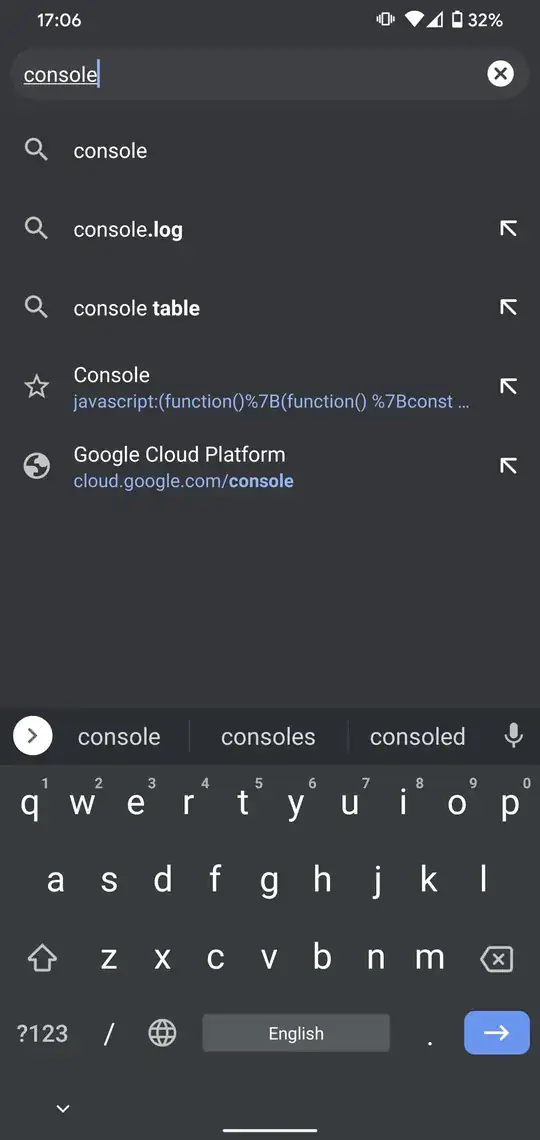


javascript:to bookmarklets, as they should already have that in them. Otherwise, they wouldn't be bookmarklets in the first place, and they wouldn't work by dragging them to the bookmarks on a PC. – Bort Apr 23 '19 at 17:10javascript:because he accesses it from the "star" button, which happens to let you bookmark the current visiting page, apparently it'shttp://which he suggests clear it all. Besides, he did show the way to execute a bookmarklet, which I didn't know. – KenIchi Mar 13 '20 at 01:31