Introduction
There are some steps below on how to log in:
-
-
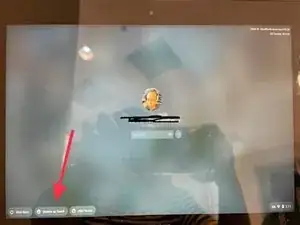
Press the POWER button. Chromebook will start up and display the login screen.
-
Choose the account you want to use and enter the password to log in.
-
You can also choose "Browse as a guest" (as the red arrow points out).
-

3 comments
como.Iniciar.seccion.para.configurar.mi.chromebook.hp
como.iniciar.seccion.para.configurar.mi.chromebook.hp
como.permitid.la.instalacion.de.un.nuevo.reproductor.de.videos.automatizado.para.mi.chromebook