Star Character
You can designate any one character your Star Character from that character's Inventory screen; scroll to the bottom and there is a Star this Character button. Your starred character gains increased stats (+100 HP, +250 ATK), appears in your profile with a custom message when viewed by other players, and a Star icon appears in the top right next to the character's name when viewing the character's status info. You can also choose to Tweet your star character when you perform a Twitter Restore. After setting a star character, you must wait 24 hours to set a different star character.
There is no downside to starring a character, aside from the 24-hour cooldown, so make sure someone is always starred!
 The star next to your character's name
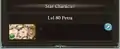 Star character in the player profile
 Tweeting the star character
This article is issued from Wiki. The text is licensed under Creative Commons - Attribution - Sharealike. Additional terms may apply for the media files.